Claim Process
This page explains the complete claim lifecycle for partners, from the first declaration to monthly debt follow-up, tenant payments, signatures, and statistics.
This is a functional guide. For full request and response contracts, see Claim API.
1. End-to-End Lifecycle
A claim usually follows this business sequence:
- Initial declaration on an active contract.
- Upload all required documents.
- Apply for validation.
- Declare rental debt every month.
- Manage tenant payments.
- Sign monthly subrogative receipts.
- Monitor claim statistics.
For endpoint details, see Claim API.
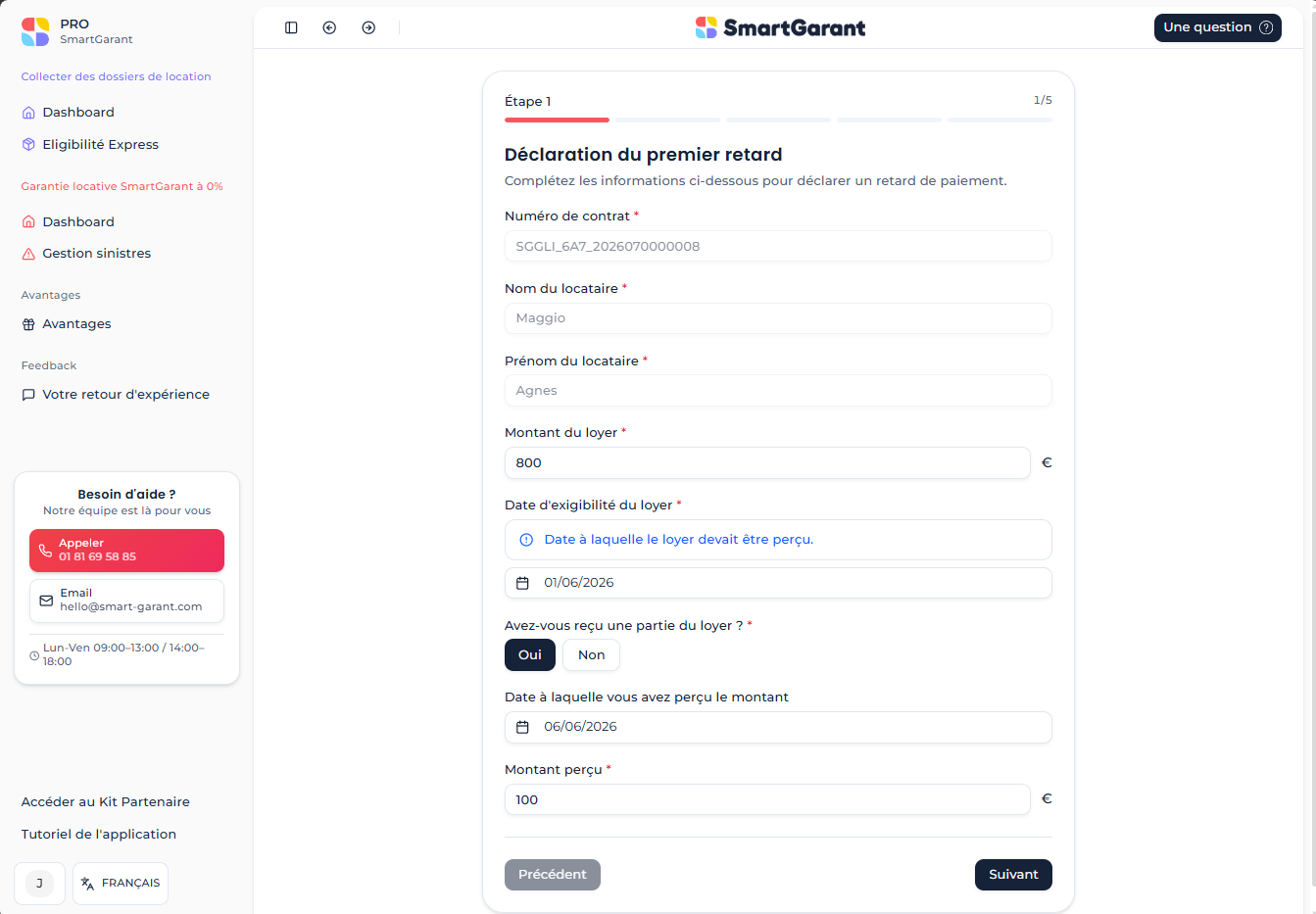
2. Step 1 - Initial Declaration
The declaration can be created only on an active contract.
The rent due date corresponds to the first unpaid rent month. This date defines the starting point of the claim timeline.
This step creates:
- one Claim
- one RentalDebt
- one TenantDebtPayment when the tenant has already paid part of the rent
Main endpoints:
POST /v1/projects/{projectId}/claims
GET /v1/claims
API reference: Claim API
3. Step 2 - Required Documents
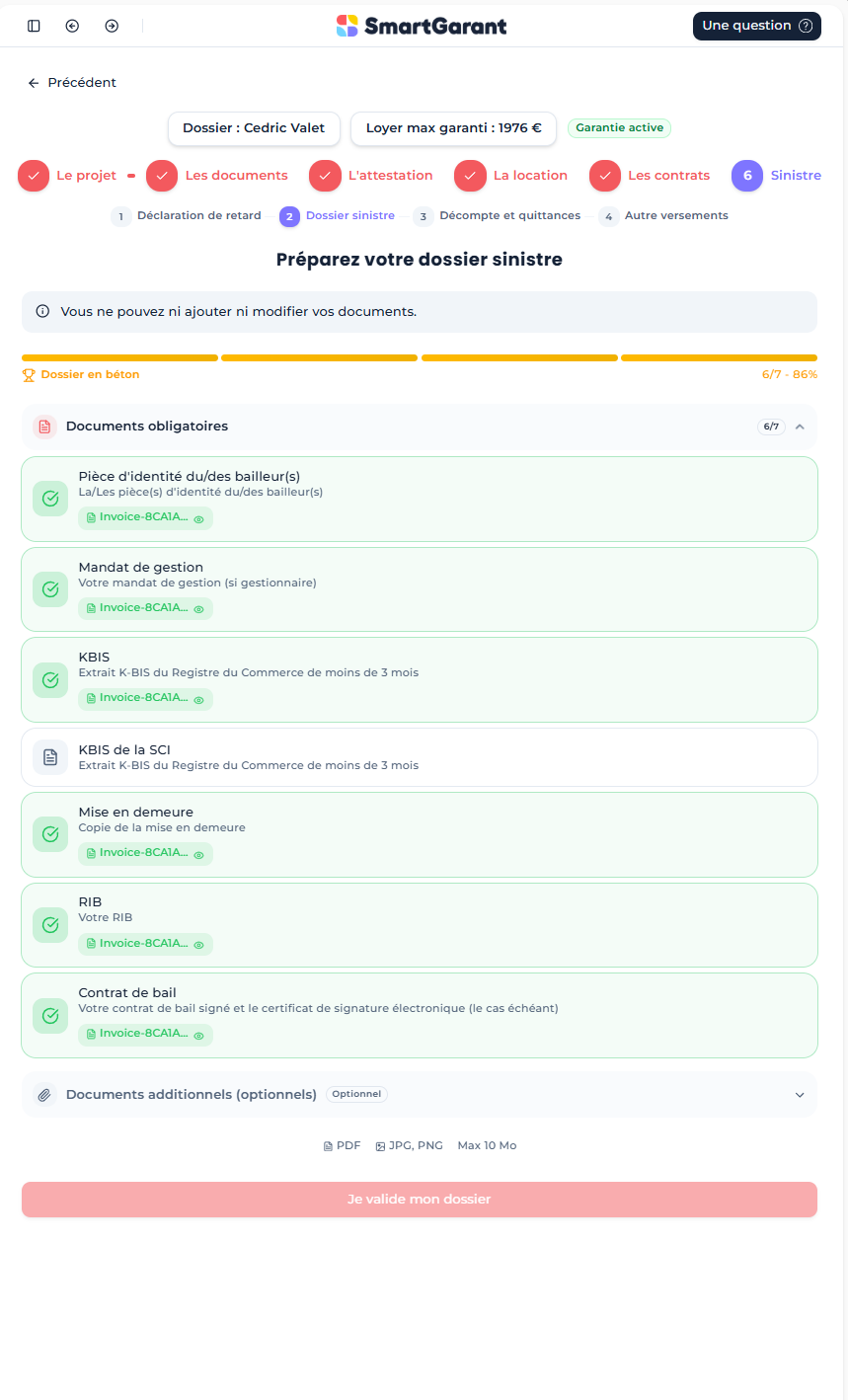
After each declaration, all mandatory documents must be uploaded before requesting claim validation.
Use the required-documents endpoint to know which files are missing:
GET /v1/claims/{claimId}/documents/required
Then upload missing documents:
POST /v1/claims/{claimId}/documents
API reference: Claim API
4. Step 3 - Validation Request
When mandatory documents are complete, request claim validation:
POST /v1/claims/{claimId}/apply
API reference: Claim API
5. Step 4 - Monthly Rental Debt Declaration
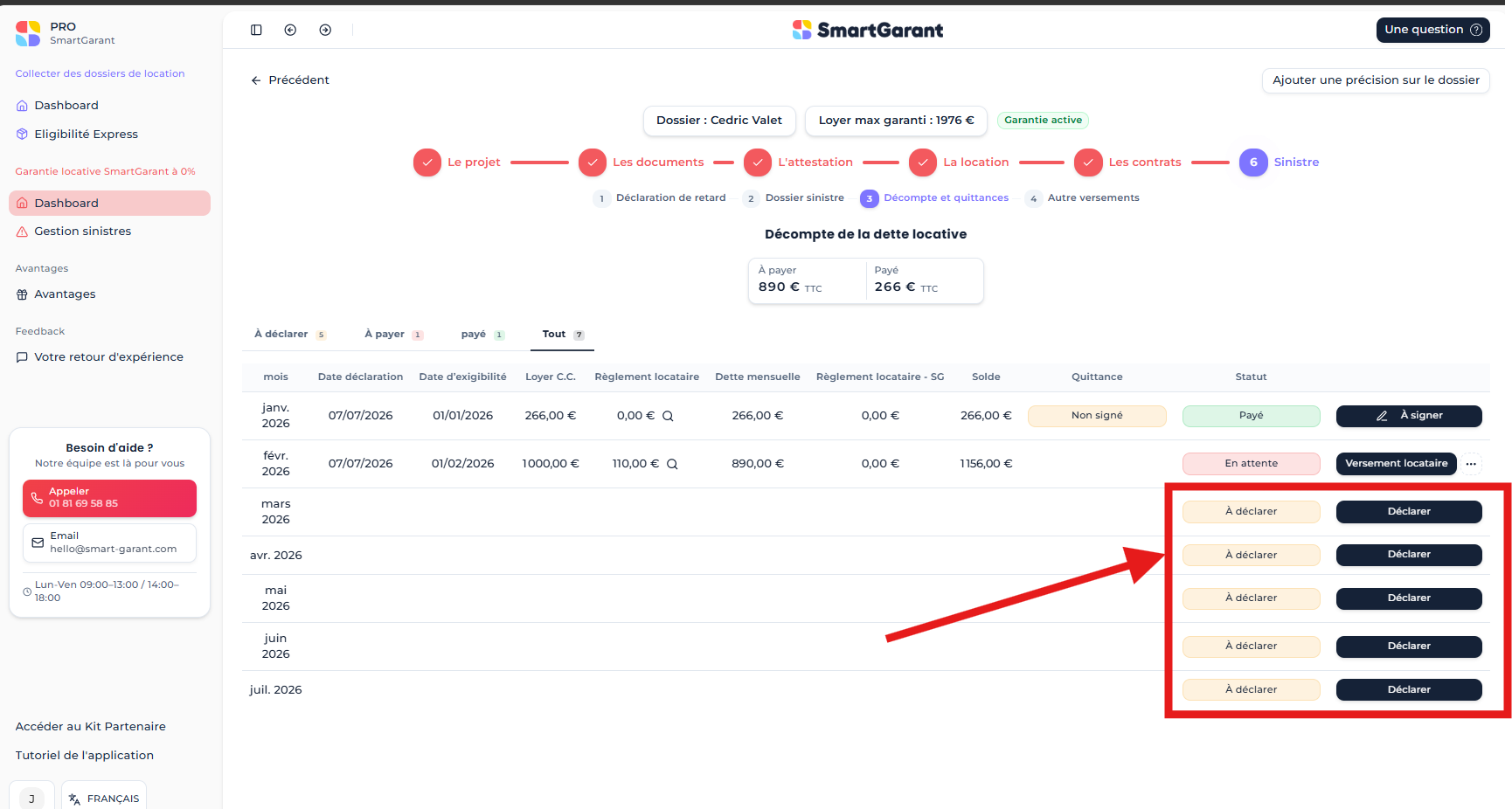
Each month, rental debt must be declared.
Note: landlord information can be updated during an ongoing claim.
Main endpoints:
GET /v1/claims/{claimId}/rentaldebts
POST /v1/claims/{claimId}/rentaldebts
PUT /v1/claims/{claimId}/rentaldebts/{rentalDebtId}
Important rules:
- Declarations must be done in chronological order.
- The due date defines which month is currently declared.
- In GetRentalDebts, months still to declare are returned with
Virtual = 10.
API reference: Claim API
6. Tenant Payments
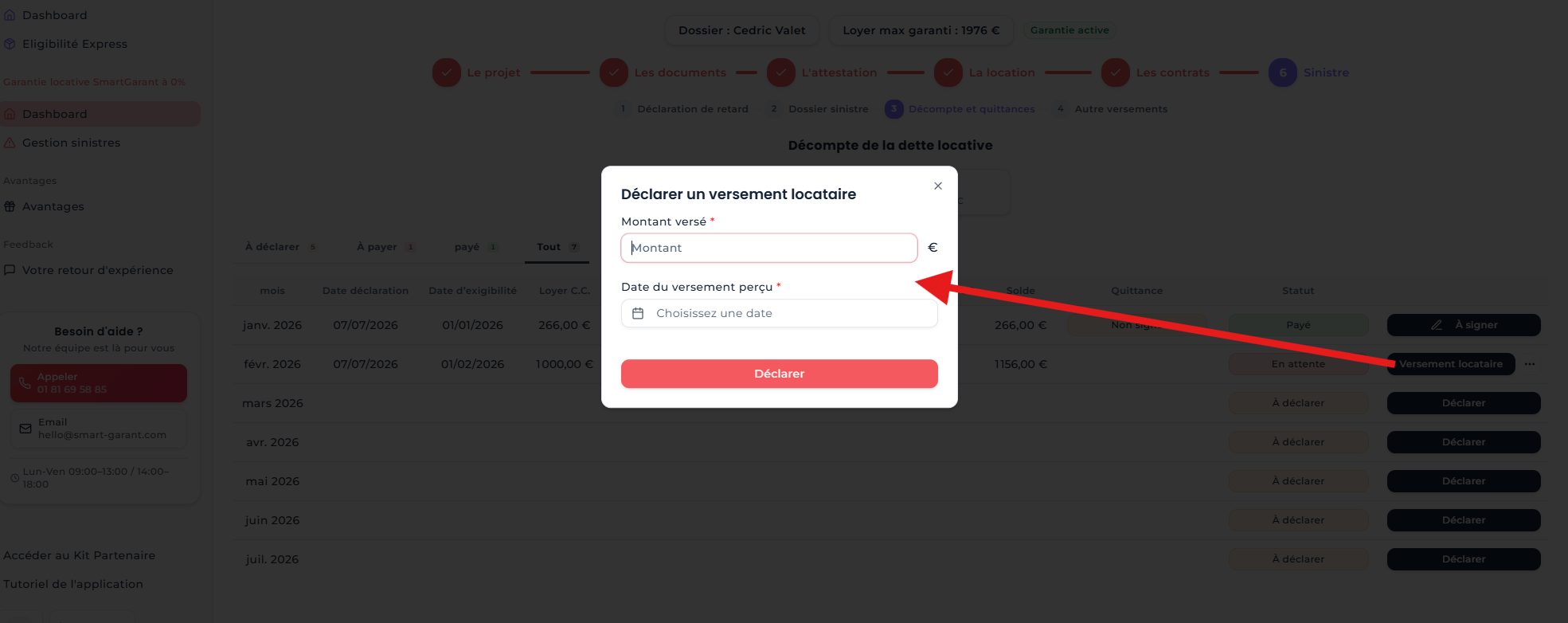
During the month, tenant payments can be added, updated, or deleted.
Important rule:
- If a tenant payment is added on a month that is already paid, the amount is redistributed across other unpaid months.
Endpoints:
GET /v1/claims/{claimId}/payments
POST /v1/claims/{claimId}/payments
PUT /v1/claims/{claimId}/payments/{paymentId}
DELETE /v1/claims/{claimId}/payments/{paymentId}
API reference: Claim API
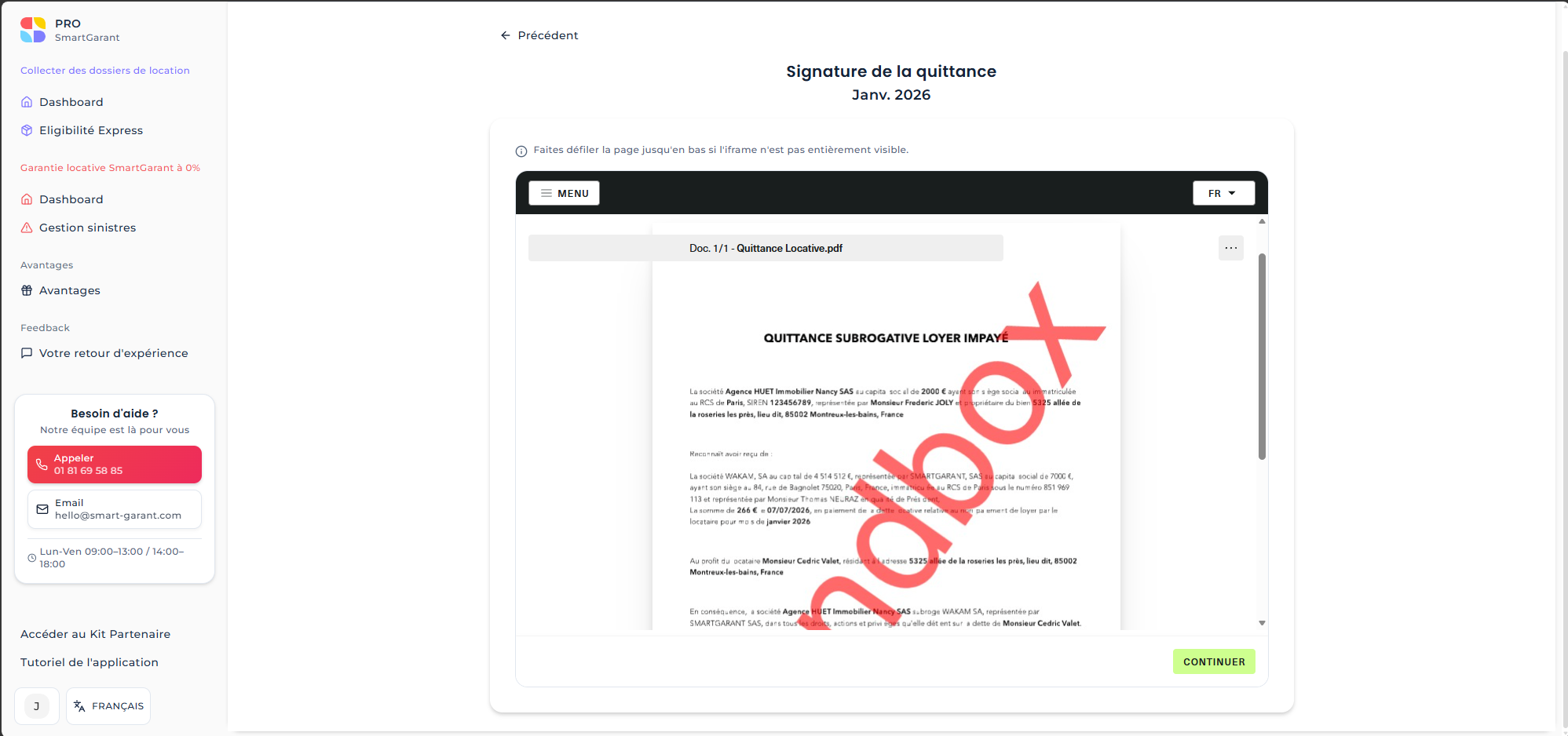
7. Monthly Subrogative Receipt Signature
Each month, once payment processing is done, subrogative receipts must be signed.
Reference endpoint:
GET /v1/claims/{claimId}/rentaldebts/pending-signature
- Route suffix reference:
{claimId:guid}/rentaldebts/pending-signature
API reference: Claim API
8. Claim Statistics
All claim statistics are available through:
GET /v1/claims/{claimId}/stats
- Route suffix reference:
{claimId:guid}/stats
API reference: Claim API
9. Quick Endpoint Map
- Step 1 - Create claim
POST /v1/projects/{projectId}/claims
- Step 1 - List claims
GET /v1/claims
- Step 2 - Get required documents
GET /v1/claims/{claimId}/documents/required
- Step 2 - Upload claim document
POST /v1/claims/{claimId}/documents
- Step 3 - Apply claim
POST /v1/claims/{claimId}/apply
- Step 4 - Get rental debts
GET /v1/claims/{claimId}/rentaldebts
- Step 4 - Add rental debt
POST /v1/claims/{claimId}/rentaldebts
- Step 4 - Update rental debt
PUT /v1/claims/{claimId}/rentaldebts/{rentalDebtId}
- Step 5 - Get payments
GET /v1/claims/{claimId}/payments
- Step 5 - Add payment
POST /v1/claims/{claimId}/payments
- Step 5 - Update payment
PUT /v1/claims/{claimId}/payments/{paymentId}
- Step 5 - Delete payment
DELETE /v1/claims/{claimId}/payments/{paymentId}
- Step 7 - Get pending signature debts
GET /v1/claims/{claimId}/rentaldebts/pending-signature
- Step 8 - Get claim stats
GET /v1/claims/{claimId}/stats